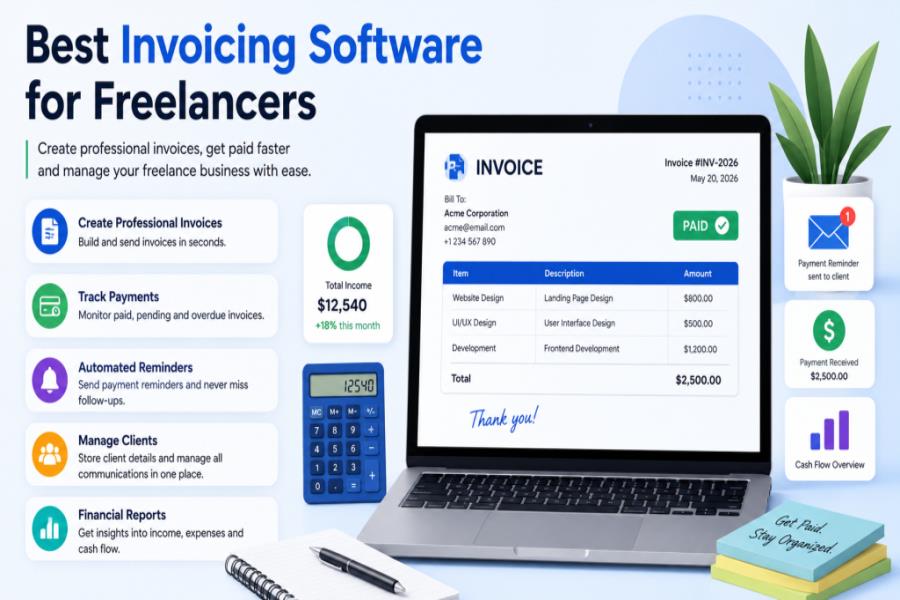
Late payments are not a client problem. They are a systems problem. And the fix usually costs less than $30 a month.
The best invoicing software for freelancers does not just generate a PDF and call it a day. When your clients get silent, it follows up, takes card payments instantly, and organizes your invoices regardless of whether you have three or thirty clients. Most freelancers begin with an Excel spreadsheet or Word document, and then face a brick wall around the fourth month. Does that sound familiar?
Here is everything you need to know about each of these products. Actual tools, actual pricing, and an honest opinion on who would benefit from each.
What Is the Best Invoicing Software for Freelancers?
Here are the answers for the best invoicing software for freelancers. It depends on where you are in your freelance business.
FreshBooks leads for an all-around paid solution. Wave is the strongest free pick with unlimited invoices. Zoho Invoice is completely free with no paid tiers pushing you to upgrade. HoneyBook suits creative freelancers who need proposals and contracts baked in. Bonsai works best for solo professionals who want everything in one place. Plutio fits project-based freelancers who want time tracking wired directly to invoices.
If you send under 10 invoices a month and are just starting out — start free. If you are billing $5K+ monthly and still chasing clients for payment — pay for automation. It will save you more than it costs.
Best Invoicing Software for Freelancers — At a Glance
| Tool | Price | Best For | Free Plan? |
| FreshBooks | From $23/mo | All-round invoicing + time tracking | Trial only |
| Wave | Free | New freelancers, low volume | ✅ Unlimited invoices |
| Zoho Invoice | Free | Zero-cost, no upsell | ✅ 500 invoices/year |
| Bonsai | From $29/mo | Contracts + proposals + invoicing | 30-day trial |
| HoneyBook | From $19/mo | Photographers, designers, creatives | 30-day trial |
| Invoice Ninja | Free | Integration-heavy workflows | ✅ Up to 100 clients |
| Plutio | $19/mo | Project billing + time tracking | No |
| QuickBooks SE | $19–38/mo | Tax-focused freelancers | No |
The 7 Best Invoicing Tools for Freelancers (Honest Reviews)
1. FreshBooks — Best Overall Pick
FreshBooks is not new, and it is not flashy. But it works, and that matters more than either.
It is a simple and affordable option for freelancers and very small businesses that prioritize operating on the go via mobile app. The time tracking is built right into the billing flow — log your hours, hit invoice, done. No copy-pasting between tabs.
Freelancers using automated payment reminders through FreshBooks get paid up to 11 days faster on average. Eleven days. For a freelancer waiting on a $3,000 invoice, that is not a small thing.
The catch: the Lite plan limits you to 5 billable clients, and costs add up quickly once your client base grows.
Bottom line: If you are doing serious freelance work and want one tool that handles invoicing, reminders, and time tracking without fuss — FreshBooks is the call.
Read Also: Side Hustles for Teens: 21 Smart Ways to Earn Money While Building Skills
2. Wave — Best Free Option (With a Catch)
Wave is free. Actually free, not “free until you need the thing you actually need” free.
The interface is clean and the accounting follows proper double-entry bookkeeping, which matters when tax time comes. For a freelancer sending five invoices a month to repeat clients, Wave handles everything fine.
Where it gets tricky: payment processing fees run at 2.9% + $0.60 per card transaction, there are no recurring invoices on the free plan, and customer support is minimal unless you pay extra.
A “free” invoicer charging 2.9% + $0.60 per card payment can cost a busy freelancer more than a $29/month plan with straightforward gateway fees. Do the math before you assume free means cheaper.
Bottom line: Strong starting point. Graduate to something paid once you are invoicing regularly or running retainer clients.
3. Zoho Invoice — Best Completely Free Tool
As for the tools listed, only Zoho Invoice is truly free — and without up-sell pressure.
It offers real-time tracking of your invoices, multi-currency functionality, and integrates with Zoho Books, QuickBooks, Xero, PayPal, Stripe, and other apps — completely free of charge. It provides 500 invoices annually, and that’s more than enough to support most solo freelancers.
It’s not as streamlined as FreshBooks. The UI is a bit hard to get used to. However, for international freelancers who take payment from clients in various currencies, Zoho Invoice is a good option when compared to the $20+ per month paid tools out there.
In conclusion, the most suitable freeline invoicing software for freelancers who require multi-currency assistance and real time integrations.
4. Bonsai — Best All-in-One for Solo Freelancers
Bonsai was designed for the real-world working habits of freelancers.It’s designed for how freelancers actually work; it’s the real thing!
It integrates contracts, proposals, invoices, expense tracking, and project management into one seamless solution. The contract templates will be legally checked and are trusted by the freelance community and it’s easy to safeguard yourself before starting a project.
Being able to create a contract, log time against it and then generate an invoice based on those logged hours in one platform is a true workflow improvement for the hourly freelancer that may be using a different tool to create each of those steps.
The price is based on the depth. The plans start at $29/month (Starter) up to $109/month (Premium) on annual billing, offering a 30-day free trial.
Bottom line: Say goodbye to Calendly, DocuSign, and a separate invoicing tool, and hello to Bonsai.
5. HoneyBook — Best for Creative Freelancers
HoneyBook is not really an invoicing tool. It is a full client management platform that happens to handle invoicing very well.
It is designed specifically for photographers, designers, event planners, and other creatives. You can send a combined proposal-contract-invoice as one document — a genuinely useful workflow for project-based creatives.
The gap worth knowing: HoneyBook has no double-entry accounting, no bank reconciliation, and no expense tracking. Financial reports only reflect what comes in through HoneyBook’s own payment collection. You will still need a separate tool at tax time.
At $29/month for the Starter plan, it is expensive if you only need to send invoices. The value is in the full workflow — from first inquiry to final payment.
Bottom line: Worth it if you are a creative professional managing full client projects. Overkill if you just need to bill people.
6. Invoice Ninja — Best for Integration-Heavy Freelancers
Invoice Ninja is not a design award-winner. However, if you are working across multiple tools and payment processors, it’s a lot more than just a workhorse.
It enables you to send an unlimited number of invoices to up to 100 clients for free, and integrates with over 40 payment gateways. That flexibility is the reality for a developer who serves foreign clients through various means of payment.
Most sole traders are covered by the free plan. The paid versions include additional customization, white labelling and client portal options.
In summary: Technical freelancer or developer who require flexibility with payment gateways without a monthly charge.
7. QuickBooks Self-Employed — Best for Tax-First Freelancers
QuickBooks is powerful. It’s also more than most freelancers require for just invoicing.
It’s not cheap if you’re only using it for invoices, $19-38/month as per promotions. If you’re not looking for a double-entry accounting system, a balance sheet, or multiple account bank reconciliation, invoicing is a lower-cost feature offered by FreshBooks or Zoho Invoice.
QuickBooks Self-Employed is the answer for those who are a freelancer and want the simplest tax preparation possible and are using TurboTax. Saving hours come April, is the bank categorization and quarterly tax estimates.
Bottom line: Only worth it if tax prep is as important to you as invoicing.
Features That Actually Matter (And Why)
| Feature | Why It Matters to Freelancers |
| Automated payment reminders | Removes the awkward “just checking in” email entirely |
| Time tracking integration | Bill actual hours — not estimates from memory |
| Online payment links | Clients pay the same day they open the invoice |
| Recurring invoices | Retainer clients get billed automatically every month |
| Multi-currency support | Essential for anyone with international clients |
| Client portal | Clients see invoice status without emailing you |
| Expense tracking | Year-end taxes become much less painful |
| Tax calculation | Correct VAT or sales tax without manual math |
| Mobile app | Send and track invoices from anywhere |
| Contract templates | Protects you legally before the work even starts |
For international freelancers, GDPR compliance and VAT handling are also critical — not just nice to have.
How to Pick the Right Tool — A Simple Decision Path
Here is the honest version, no upsell:
You are just starting out, budget is tight → Wave or Zoho Invoice. Both are free, both are real tools, and both will handle your billing for the first 12–18 months without breaking a sweat.
You are established, billing multiple clients monthly → FreshBooks. The automation pays for itself the first time a client pays on time because of an automatic reminder.
You need contracts alongside invoicing → Bonsai or HoneyBook. Which one depends on whether you are more project-management-focused (Bonsai) or CRM-focused (HoneyBook).
You bill hourly and need time tracking → FreshBooks or Plutio. Both track time and connect it directly to invoice line items.
Tax prep is your biggest headache → QuickBooks Self-Employed.
You want everything for free with strong integrations → Invoice Ninja.
Dedicated invoicing software pays for itself in time saved and late payments avoided within the first month. The question is not whether to use it. It is which one fits the way you actually work.
The Bottom Line
The best invoicing software for freelancers is not the one with the most features.It’s the one that you’ll actually put to use — one that’s quick to send invoices, follows up automatically and helps you keep cash flow on the table without requiring an hour of admin time each week.
If you are a latecomer, use the start free option. Purchase automation when billing is time consuming. No matter which tool you choose, make sure to schedule reminders for auto-payment on day one. A single feature on the list is more than anything else.
Read Also: AI Business Name Ideas: How to Name Your Business in the Age of Artificial Intelligence
FAQs:
Q: What is the best free invoicing software for freelancers?
Wave and Zoho Invoice are the two strongest free options in 2026. Wave gives you unlimited invoices with no monthly fee. Zoho Invoice covers 500 invoices per year, also completely free, with no paid tier pushing you to upgrade. Both handle multi-currency and basic expense tracking.
Q: What invoicing software do most freelancers use?
FreshBooks holds the strongest reputation among paid tools. Wave leads among freelancers who want zero monthly cost. Among creatives specifically, HoneyBook and Bonsai both have strong communities.
Q: Is QuickBooks worth it for freelancers?
Only if accounting and tax prep matter as much as invoicing. For pure invoicing, FreshBooks or Wave covers the basics at lower cost. QuickBooks earns its price if you want quarterly tax estimates, bank categorization, and TurboTax integration all in one place.
Q: Can freelancers send invoices for free?
Yes. Wave, Zoho Invoice, PayPal, Square, and Stripe all offer free invoicing tools that let freelancers create and send professional invoices without a monthly fee. You may still pay transaction fees when clients pay by card.
Q: How do I get clients to pay invoices faster?
Use software with automatic payment reminders. Include a direct payment link in the invoice — not just bank details. Shorten your payment terms from Net 30 to Net 7 or due on receipt. Specify late payment clauses explicitly and offer multiple payment methods. The more ways a client can pay, the fewer excuses they have for delay.
Q: What is the best invoicing software for freelancers working with international clients?
Xero, FreshBooks, and Zoho Invoice all support multi-currency invoicing and are widely used by freelancers working globally. Zoho Invoice is the strongest free pick for international billing. Bonsai also handles multi-currency well if you need contracts alongside invoicing.
Q: Do I need full accounting software or just an invoicing tool?
For most solo freelancers, an invoicing tool is enough. Invoicing software tracks which projects have been billed, which invoices are outstanding, which clients pay on time, and automates the reminders that get money into your account faster. Full accounting software becomes worth it once you have significant expenses, employees, or complex tax obligations.