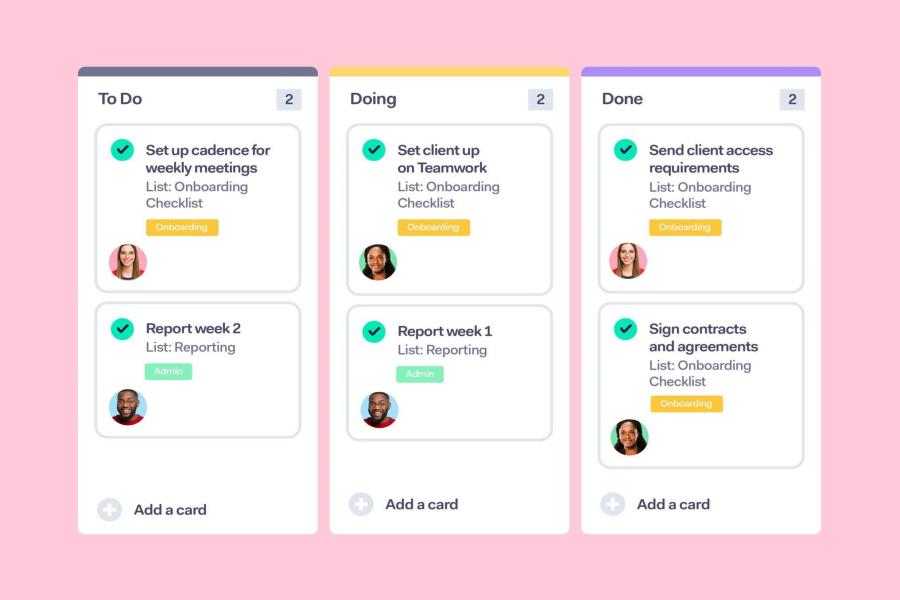
The first two weeks with a new client are make or break. Not because of the work — because of the experience. A clear client onboarding checklist is what separates businesses that retain clients from ones that lose them quietly, without ever knowing why.
This guide lays out a complete, step-by-step client onboarding checklist you can use right now. No fluff. No filler. Just what works.
What Is a Client Onboarding Checklist?
A client onboarding checklist is a fixed sequence of steps you run every time a new client signs. It covers the welcome, the paperwork, the setup, the kickoff — and everything in between.
It’s not just an internal tool. Done right, it becomes part of the client experience itself.
Client Onboarding Checklist: Structured Snapshot
| Stage | Action | Real-World Example |
| Pre-Onboarding | Welcome email sent same day | “You’re in — here’s what happens next” |
| Documentation | Signed contracts collected | Via DocuSign or PandaDoc |
| Account Setup | Client added to all systems | CRM, Slack channel, shared folder |
| Kickoff Call | Goals and timeline locked in | 30-min Zoom with written summary after |
| Asset Collection | Logins and brand files received | Ad accounts, logos, brand guide |
| Communication | Expectations set in writing | Reply time, feedback process, escalation |
| Project Brief | Scope documented clearly | Deliverables, deadlines, KPIs |
| First Deliverable | Something tangible sent early | Audit, draft, or strategy outline |
| Week 1 Check-In | Short follow-up email sent | “How’s everything feeling so far?” |
| Feedback Loop | Early input gathered | One-question survey or quick call |
Why the Onboarding Process Matters More Than the Work Itself
Here’s a hard truth. Clients don’t leave because the work was bad. Most of the time they leave because something felt off at the start — slow replies, unclear next steps, no sense of structure.
First impressions in a client relationship aren’t just about being polite. They signal whether you have your act together. And clients are watching closely, even when they don’t say anything.
A solid client onboarding checklist removes that doubt before it has time to settle. It shows clients — without you having to say it — that their project is being handled well.
Wyzowl research found that 86% of customers remain loyal to businesses that invest in onboarding. That’s not a marginal gain. That’s the difference between a one-project client and a long-term one.
Read Also: Chief Technology Officer Jobs: What They Pay, Require, and How to Land One
The Full Client Onboarding Checklist — Step by Step
Step 1: Send the Welcome Email the Same Day
Same day as the signed contract. Not tomorrow. Not when you “get a chance.”
Keep it short. Tell the client what happens next, when the kickoff call will be, and who their point of contact is. Attach any intake forms they need to fill out.
Subject line that works: “You’re officially in — here’s what comes next”
Step 2: Lock Down the Paperwork
Nothing moves forward without signed documents. Your client onboarding checklist should flag these before any work starts:
- Service agreement
- Non-disclosure agreement (if applicable)
- Scope of work
- Payment schedule
Tools like DocuSign, PandaDoc, or HelloSign handle this cleanly. The paper trail protects both sides and removes the awkward “did you sign that?” follow-up.
Step 3: Set the Client Up in Your Systems
This step is invisible to the client. That’s exactly why it matters.
Add them to your CRM. Open a Slack channel. Build their project folder. Assign the account lead. When a client sends their first message at 9am on Monday, you should be able to pull up everything in under ten seconds.
Step 4: Run a Kickoff Call
Email is not enough to align on goals. Get on a call.
Use that 30 to 45 minutes to go through:
- What success looks like — in their words
- Key milestones and realistic timelines
- Who approves deliverables and how
- How they prefer to communicate
After the call, send a written summary. It becomes your project north star. Refer back to it whenever scope conversations get fuzzy.
Step 5: Collect Every Asset Upfront
This is the step that causes the most delays when it’s skipped.
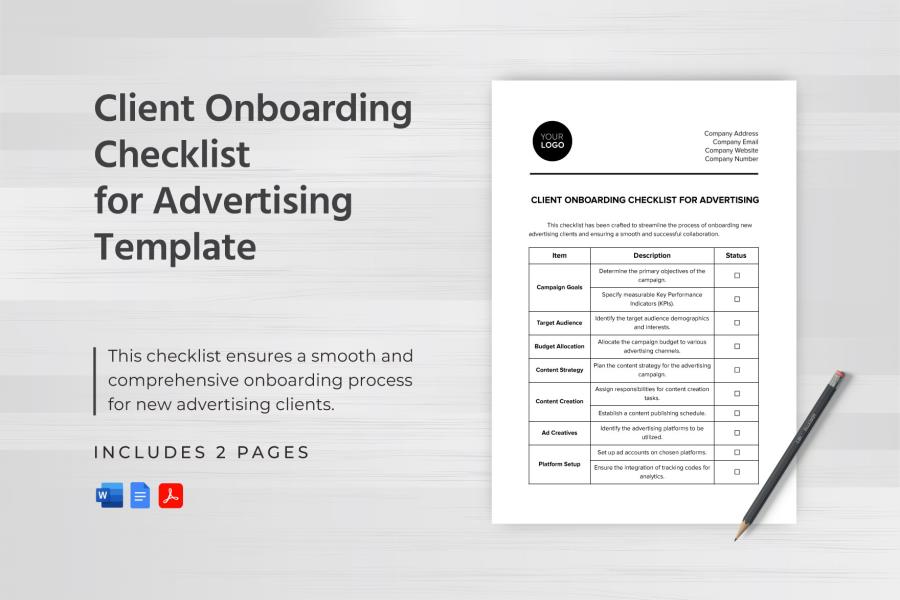
Your client onboarding checklist needs a dedicated section for:
- Login credentials (ad accounts, CMS, analytics tools)
- Brand assets (logos, fonts, brand guidelines)
- Previous work or existing materials
- Third-party vendor contacts
Send a simple intake form. Google Forms works fine. The easier you make it, the faster they’ll send things through.
Step 6: Set Communication Ground Rules Early
Tell the client how you work. Write it down. Send it to them.
What platform do you use? What’s your response time? How should they submit feedback? Who do they contact if something is urgent?
Setting these expectations in week one prevents 80% of the friction that shows up in week four. Clients don’t get frustrated because they had to wait — they get frustrated because they didn’t know how long to wait.
Step 7: Deliver Something in the First Week
This one is underrated. Give the client something tangible in the first seven days.
It doesn’t have to be the final product. A discovery summary, a competitor audit, a strategy outline — anything that shows work is happening. Early momentum builds client confidence in ways no amount of reassurance can.
Step 8: Check In After Week One
Send a short email. One question.
“How is everything feeling so far?”
That’s it. This email catches problems early, shows you’re paying attention, and gives clients a low-pressure way to raise something they might otherwise sit on. It’s one of the highest-return touchpoints in the entire onboarding process.
Client Onboarding Checklist: Full Task View
| No. | Task | Who Owns It | When |
| 1 | Welcome email sent | Account Manager | Day 0 |
| 2 | Contracts signed and filed | Operations | Day 1 |
| 3 | Client set up in CRM and tools | Project Lead | Days 1–2 |
| 4 | Kickoff call scheduled and run | Account Manager | Days 2–5 |
| 5 | Assets and access collected | Project Lead | Days 3–5 |
| 6 | Communication norms shared | Account Manager | Day 3 |
| 7 | First deliverable sent | Delivery Team | Day 7 |
| 8 | Week 1 check-in email | Account Manager | Day 7 |
| 9 | Early feedback gathered | Account Manager | Days 10–14 |
| 10 | Process reviewed and adjusted | Full team | Day 30 |
Where Most Client Onboarding Processes Fall Apart
Plenty of businesses have some version of onboarding. Few have one that runs consistently. These are the gaps that tend to show up:
The welcome email is late. A few hours of silence after signing feels longer than it is. Send it the same day — always.
There’s no kickoff call. Email threads can’t replace a real conversation. Tone, intent, and nuance get lost. Get on a call.
Scope isn’t documented. Verbal agreements fade. Scope creep starts with one undocumented “small ask.” Put everything in writing before work begins.
Feedback instructions are assumed. Clients often don’t know how to give good feedback — or when to give it. Tell them. Make it simple.
The week one check-in gets skipped. It feels small. It’s not. This single touchpoint catches more problems earlier than almost anything else in the process.
Read Also: Small Business Automation Tools That Actually Save Time — And Money
The Bottom Line
A client onboarding checklist isn’t paperwork. It’s a first impression that lasts.
Every step either builds trust or chips away at it. Get the process right and clients stick around. They send referrals. They give you the benefit of the doubt when something’s hard.
Get it wrong and even solid work won’t hold the relationship together.
Use the checklist above. Adjust it to fit your business. Run it the same way every single time. The payoff shows up in retention numbers — and in how clients describe working with you.
FAQs:
Q: What should a client onboarding checklist include?
A complete client onboarding checklist includes a welcome email, signed contracts, account setup, a kickoff call, asset collection, communication expectations, a project brief, a first deliverable, and a follow-up check-in. Together, these steps create a consistent experience for every new client.
Q: How long does client onboarding take?
Most client onboarding processes run between 3 and 14 days. Simple service setups can be completed in 3 to 5 days. Projects involving multiple stakeholders or complex access requirements typically take up to two weeks.
Q: Why is a client onboarding checklist important?
A client onboarding checklist sets clear expectations, prevents miscommunication, and signals professionalism from day one. Research shows strong onboarding directly improves client retention and reduces early drop-off.
Q: What tools support a client onboarding process?
Common tools include HoneyBook, Dubsado, Notion, ClickUp, DocuSign, and HubSpot CRM. The right choice depends on team size, service type, and how automated you want the process to be.
Q: What is the difference between client onboarding and customer onboarding?
Client onboarding typically applies to service-based businesses — agencies, consultants, freelancers — starting a new engagement. Customer onboarding usually refers to SaaS or product companies helping users get set up with software. The checklist structure is similar, but the touchpoints differ.
Q: How do I build a client onboarding checklist from scratch?
Start by writing down every step you currently take when a new client signs. Group steps into phases: pre-onboarding, documentation, setup, kickoff, and follow-up. Assign an owner and deadline to each step. Then convert that into a reusable template in Notion, ClickUp, or a spreadsheet.