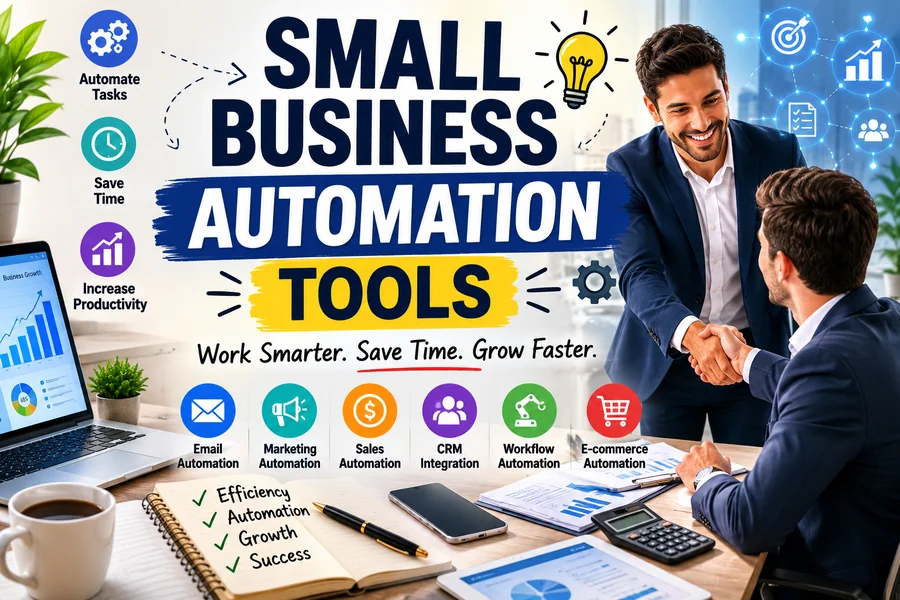
Running a small business in 2026 means wearing too many hats. You are answering emails, chasing invoices, following up on leads, and trying to keep projects from falling apart — often all before lunch. The fix is not hiring more people. The fix is using the right small business automation tools to handle the repetitive work while you focus on what actually moves the needle. This guide breaks down exactly which tools are worth your time, what they automate, and how to start without wasting money.
What Are Small Business Automation Tools?
Small business automation tools are software platforms that handle repetitive tasks — emails, invoices, follow-ups, scheduling — without you lifting a finger each time. You set up the logic once, and the system runs it for you on autopilot.
They are not just for large companies anymore. According to the SBE Council’s 2026 Small Business Tech Use Survey, 82% of small business employers have now invested in AI tools, with the average small business using a median of five AI tools. That shift has happened fast. And for good reason.
If your team is still manually entering data, sending the same follow-up email five times a day, or copying information between apps, you are losing hours every week. Hours that could go toward clients, growth, or the work only you can do.
Quick-Reference: Top Small Business Automation Tools at a Glance
| Tool | Best For | Free Plan? | Starting Price |
| Zapier | Connecting apps & workflow automation | ✅ Yes | ~$20/month |
| HubSpot | CRM + marketing automation | ✅ Yes | ~$38/month |
| QuickBooks Online | Accounting & invoicing | ❌ No | ~$17/month |
| ActiveCampaign | Email marketing automation | ❌ No | ~$15/month |
| Asana | Project & task management | ✅ Yes | ~$10/seat/month |
| Make (Integromat) | Complex multi-step workflows | ✅ Yes | ~$9/month |
| Calendly | Scheduling & booking automation | ✅ Yes | ~$10/month |
| Notion AI | Docs, wikis & internal knowledge | ✅ Yes | ~$10/month |
Read More: AI Business Name Ideas
The Best Small Business Automation Tools in 2026
1. Zapier — The App-Connection Backbone
If you’re utilizing over three software tools in your business, Zapier must belong in your stack.
Zapier is one of the simplest tools to start workflow automation for small businesses, as it integrates thousands of tools small businesses use every day — supporting no-code automation across 9,000+ apps. There’s no need for coding to connect your CRM with your email, your form builder with your spreadsheet, your payment processor with your project management software, or any other combination.
With its AI capabilities in 2026, you can now create automations by speaking natural language. For instance: “If I get a new lead in HubSpot, copy and paste their LinkedIn profile into a Slack message and alert me. The natural-language configuration reduces the effort significantly for non-technical founders.
Best for: Any small business using multiple apps that require communication.
2. HubSpot — CRM and Marketing on One Platform
HubSpot is a combination of CRM and marketing automation. It maps the lead and automates follow-up sequences, and scores contacts according to their behavior.
HubSpot’s AI-powered CRM and marketing automation system has grown into a full-fledged business management solution. It also has AI capabilities such as predictive lead scoring, content creation, and intelligent email sequencing.
The free CRM is actually a true beginning, not a cut-down digest of the full thing. Contact Management, emailing, and basic workflows can be configured without spending a dollar.
Ideal for: Service companies, B2B businesses, and any team requiring a built-in sales pipeline.
3. QuickBooks Online — Financial Automation Without the Headaches
One of the most time-consuming aspects of small business is manual bookkeeping. QuickBooks automates bank reconciliation, tracking of expenses and invoicing, and payroll.
Digital accounting systems are the norm in 2026 — particularly for companies that desire clean books and records that are audit ready. With a real-time view of your finances, QuickBooks is a stress-free experience.
Ideal for: Any small business that sends out invoices, logs expenses, or processes payroll.
4. ActiveCampaign — Email That Responds to Behavior
Most email software programs send emails. ActiveCampaign delivers the right message at the right time because it’s based on YOUR CONTACT’S REAL ACTIVITIES.
ActiveCampaign is an email marketing automation, customer journey mapping, CRM, segmentation and behavioural tracking platform. This integration enables businesses to build highly-targeted communication workflows that react in real-time to customer actions.
You can set up an automatic follow-up on a pricing page for someone to click if they aren’t making a purchase. What used to require a full marketing team now takes just one person.
Ideal for: Ecommerce, service industry and any business that raises leads over a long period of time.
5. Asana — Project Management That Runs Itself
The more a company expands, the harder it is to maintain organization in projects. Tasks end up in threads of email, deadlines are not clearly defined, and people spend time chasing for updates on a task instead of working on it. That’s where Asana came into being.
You can automate task assignments, task deadlines, and task approvals with Asana. Say goodbye to chasing, no more of that.
Ideal for: Client Management, internal projects and any repetitive operational processes.
It’s not the company with the most money who will be the fastest movers in 2026. Their systems are the smartest ones.
The tools that run small businesses are what can make them more competitive than their 10 times larger counterparts. It’s not necessary to automate everything. Choose one process that takes time from you each week. Fix that first. Then scale.
The tools are there. They do have a free plan. The one question is what is still left to be done manually that should not be done?
6. Make (formerly Integromat) — For More Complex Automation Needs
Use Make when you need a flexible internal system that goes beyond what simpler tools can handle. Make lets you build detailed, multi-step automations with branching logic — think conditional rules, data formatting, and multi-app sequences.
Make’s free plan handles 1,000 monthly operations at no cost. That makes it one of the most accessible starting points for small businesses testing automation without upfront cost.
Best for: Founders who want more control over automation logic without needing a developer.
7. Calendly — Stop the Scheduling Back-and-Forth
Every “does Tuesday at 3pm work for you?” email is a small waste of time. Multiply that by ten client calls a week and it adds up.
Calendly automates booking, confirmation emails, reminders, and time-zone coordination — and simple automation creates a smoother client experience. Clients pick a slot. The meeting goes on your calendar. Reminders go out automatically.
Best for: Consultants, agencies, service businesses, and anyone who books calls regularly.
How to Choose the Right Small Business Automation Tools
Not every tool fits every business. Before picking anything, ask yourself three questions:
- What task eats the most time each week? Start there. The best candidates for automation happen often, follow consistent steps, and are either costly or time-consuming when done wrong.
- What tools are you already using? The goal is to connect and extend what you have — not replace your entire tech stack.
- What is your budget? Affordable automation for small businesses is far more accessible in 2026 than most owners realize. Make’s free plan handles 1,000 monthly operations at no cost. HubSpot’s free CRM includes basic workflow automation. Monday.com’s entry tier starts at $9 per seat.
Start with one automation. Prove it saves time. Then build from there.
The Real Business Case for Automation
This is not about replacing people. It is about removing friction so your team can do work that actually matters.
The most successful small businesses are not relying on one tool. They are building AI ecosystems that prioritize fixing pain points and automation needs, support the key goal of driving and sustaining revenue, and then adding or testing new tools in a thoughtful way that builds upon initial success.
93% of small businesses using AI plan to continue investing in it in the next year. And 62% report they will increase AI-related spending. That is one of the clearest indicators of real ROI — businesses keep paying because it works.
A team that automates five tasks in a month reclaims hours each week. Those hours go toward client work, product development, or sales — each of which generates more value than admin ever did.
Structured Fact Table: Small Business Automation by Category
| Category | Task Automated | Tool Example | Time Saved (Est.) |
| Email Marketing | Welcome sequences, follow-ups | ActiveCampaign, Mailchimp | 3–5 hrs/week |
| CRM & Sales | Lead scoring, pipeline updates | HubSpot, Pipedrive | 4–6 hrs/week |
| Accounting | Invoicing, reconciliation | QuickBooks Online | 3–4 hrs/week |
| App Workflows | Cross-platform data transfer | Zapier, Make | 2–5 hrs/week |
| Scheduling | Booking & calendar management | Calendly | 1–2 hrs/week |
| Project Management | Task assignment, reminders | Asana, ClickUp | 2–3 hrs/week |
| Customer Support | Ticket routing, chatbots | Zendesk, Intercom | 4–6 hrs/week |
| Social Media | Scheduling & posting | Buffer, Later | 2–3 hrs/week |
Final Word
It’s not the company with the most money who will be the fastest movers in 2026. Their systems are the smartest ones.
The tools that run small businesses are what can make them more competitive than their 10 times larger counterparts. It’s not necessary to automate everything. Choose one process that takes time from you each week. Fix that first. Then scale.
The tools are there. They do have a free plan. The one question is what is still left to be done manually that should not be done?
FAQs:
Q: What is the best automation tool for small businesses?
A: It depends on your biggest need. Zapier is best for connecting multiple apps. HubSpot works well for CRM and marketing automation. QuickBooks Online is the standard for financial automation. Most small businesses use a combination of two to five tools.
Q: Can I automate my business without technical skills?
A: Yes. The rise of no-code and low-code automation platforms means you no longer need a developer to build workflows. Tools like Zapier and Make use visual drag-and-drop interfaces that let non-technical users set up automations.
Q: How much do small business automation tools cost?
A: Many tools offer free plans. Paid plans typically start between $10–$40 per month. Most small businesses will hit the limits of free tiers within a few weeks of regular use. The paid plans for most tools start at $15–$20 per month and typically pay for themselves quickly.
Q: What tasks should I automate first?
A: Start with the tasks your team repeats most often. Lead follow-up emails, appointment reminders, invoice generation, social media scheduling, and report delivery are all strong candidates. These are high-frequency, low-complexity processes where automation delivers immediate time savings.
Q: Are small business automation tools safe and secure?
A: The major platforms — including OpenAI, Anthropic, Google, and HubSpot — have enterprise-grade security and comply with regulations like GDPR and SOC 2. Always review a tool’s data policy before connecting sensitive business systems.
Q: Is automation only useful for large businesses?
A: Not at all. Small business automation software is not a luxury for enterprise teams anymore. It is a practical tool for any business that wants to grow without burning its people out. In fact, smaller teams often see a bigger proportional benefit because every hour saved matters more.