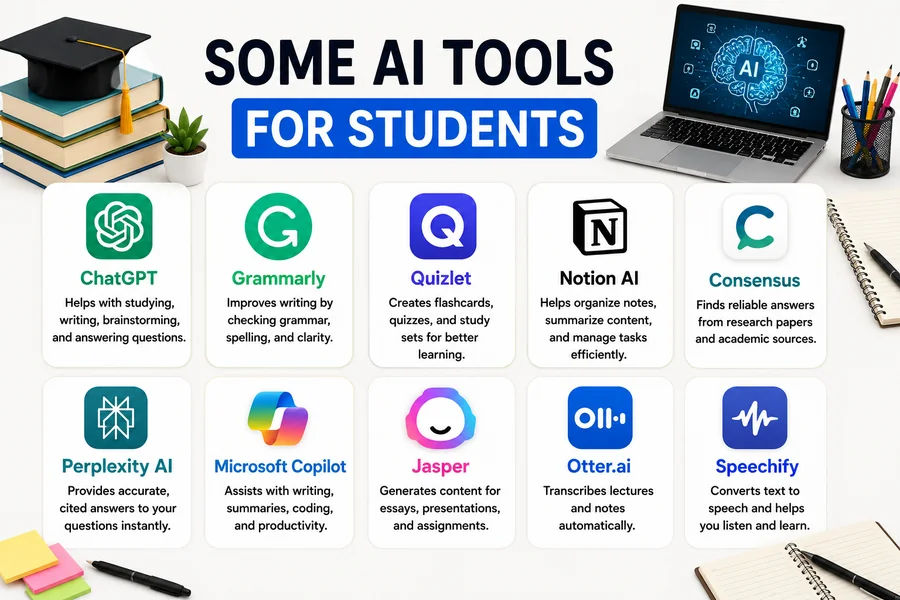
Students are under more pressure than ever. Deadlines stack up. Concepts get confusing. Time runs short. In fact, AI tools for students are now an integral component of the educational experience, writing and organizing school life today.
No tricks involved in this. It’s a matter of working smarter, not harder.
What Are AI Tools for Students?
AI tools for students are software applications powered by artificial intelligence that help with learning tasks. These include writing assistance, note-taking, research, math problem-solving, and time management.
They don’t replace effort. They reduce friction — so students can focus on understanding material instead of drowning in it.
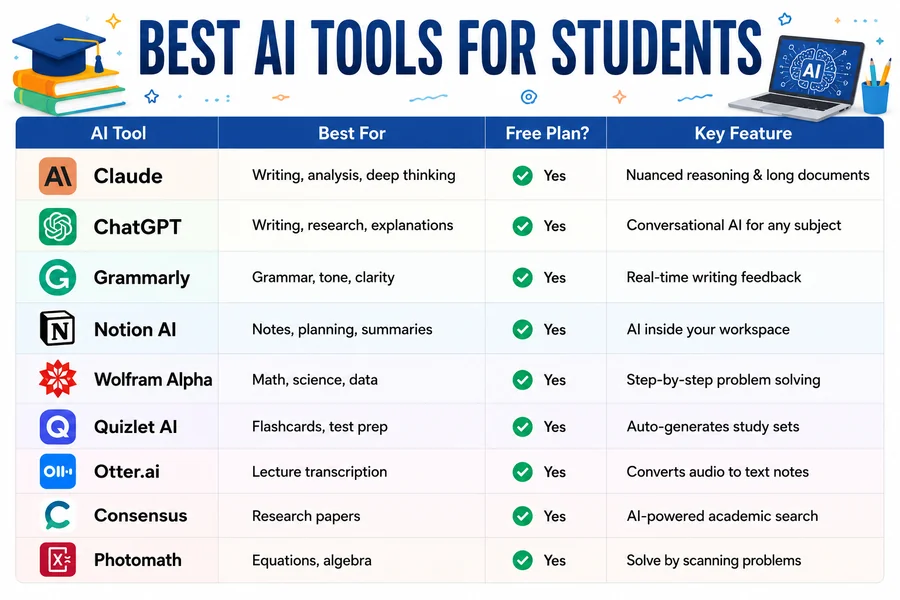
Quick-Look: Best AI Tools for Students (Fact Table)
| AI Tool | Best For | Free Plan? | Key Feature |
| Claude | Writing, analysis, deep thinking | Yes | Nuanced reasoning & long documents |
| ChatGPT | Writing, research, explanations | Yes | Conversational AI for any subject |
| Grammarly | Grammar, tone, clarity | Yes | Real-time writing feedback |
| Notion AI | Notes, planning, summaries | Yes | AI inside your workspace |
| Wolfram Alpha | Math, science, data | Yes | Step-by-step problem solving |
| Quizlet AI | Flashcards, test prep | Yes | Auto-generates study sets |
| Otter.ai | Lecture transcription | Yes | Converts audio to text notes |
| Consensus | Research papers | Yes | AI-powered academic search |
| Photomath | Equations, algebra | Yes | Solve by scanning problems |
The Best AI Tools for Students Right Now
1. Claude — For Deep Thinking and Long-Form Academic Work
Claude is one of the most underrated AI tools for students right now — and that’s starting to change. Built by Anthropic, Claude handles long documents, nuanced arguments, and complex writing tasks better than most AI tools available today.
Where some AI tools give surface-level answers, Claude goes deeper. Ask it to analyze a philosophical argument. Ask it to help structure a 3,000-word essay. Ask it to read a dense research paper and pull out the core ideas. It handles all of it without losing the thread.
What makes Claude different for students is how it thinks through problems. It doesn’t just give you an answer — it walks you through the reasoning. That’s genuinely useful when you’re trying to understand why something is correct, not just what the correct answer is.
Claude also has a large context window. That means you can paste in an entire chapter, a full assignment brief, or multiple documents at once — and it processes everything without losing important details halfway through.
Standout features for students:
- Analyzes long readings and summarizes key arguments
- Helps structure essays and research papers with logical flow
- Explains complex academic concepts in plain language
- Gives honest feedback on your writing without sugarcoating it
- Handles subjects across science, humanities, law, business, and more
Best use: Essay planning, critical analysis, understanding dense academic texts, research support, and writing feedback.
Free plan: Yes — Claude is available free at claude.ai with generous usage limits.
2. ChatGPT — For Understanding Anything Fast
ChatGPT is still the most widely recognized AI tool among students. You can ask it to explain a concept in simple terms, help brainstorm ideas, summarize readings, or walk through a historical event step by step.
It works best when you treat it like a study partner — not a ghostwriter.
Best use: Explaining hard concepts, outlining essays, practicing for oral exams.
3. Grammarly — For Writing That Gets Higher Grades
Weak writing costs marks. Grammarly catches grammar mistakes, awkward phrasing, and unclear sentences before your professor does.
The premium version checks tone and gives style suggestions based on your audience. For academic writing, that matters a lot.
Best use: Polishing assignments, emails to professors, personal statements.
4. Notion AI — For Students Who Need to Stay Organized
Notion is already a popular productivity tool. The AI layer makes it more powerful. You can summarize lecture notes, generate to-do lists, write outlines, and organize your entire semester in one place.
If your notes are a mess, Notion AI turns chaos into structure.
Best use: Note organization, project planning, summarizing readings.
5. Wolfram Alpha — For STEM Students Specifically
This one is built differently. Wolfram Alpha doesn’t just give answers — it shows the steps. That’s the difference between passing a test and actually learning the method.
It handles calculus, chemistry equations, statistics, physics, and more.
Best use: Math homework, science problems, data analysis.
6. Quizlet AI — For Exam Preparation
Most students know Quizlet for flashcards. The AI features take it further. Upload your notes and it generates study sets automatically. The “Learn” mode adjusts based on what you keep getting wrong.
It’s a smarter way to memorize — and retain.
Best use: Vocabulary, definitions, history dates, any memorization-heavy subject.
7. Otter.ai — For Capturing Lectures Without Losing Focus
Taking notes while listening is hard. You miss things. Otter.ai records your lectures and transcribes them in real time. You can highlight key moments, add comments, and search through the transcript later.
Especially useful for fast-paced lectures or large classroom settings.
Best use: Lecture notes, group discussions, recorded meetings.
8. Consensus — For Research-Heavy Assignments
Consensus is an AI search engine built for academic papers. You ask a research question and it pulls answers from peer-reviewed studies. It even shows what percentage of studies agree or disagree on a topic.
This saves hours of database searching.
Best use: Literature reviews, evidence-based essays, science research.
9. Photomath — For When You’re Stuck on a Problem
Open the app. Point your camera at an equation. Get a step-by-step solution. Photomath is fast and accurate across algebra, geometry, calculus, and arithmetic.
Students use it to check their work and understand where they went wrong.
Best use: Homework help, checking answers, learning methods visually.
Claude vs ChatGPT: Which Is Better for Students?
This is the question students ask most. Here’s an honest breakdown:
| Feature | Claude | ChatGPT |
| Long document analysis | ✅ Excellent | ⚠️ Limited on free plan |
| Essay writing support | ✅ Strong reasoning | ✅ Good |
| Math & STEM | ⚠️ Decent | ✅ Better with plugins |
| Nuanced feedback | ✅ More detailed | ✅ Good |
| Free access | ✅ Yes | ✅ Yes |
| Context window (free) | ✅ Large | ⚠️ Smaller |
| Tone & writing quality | ✅ More natural | ✅ Solid |
The honest answer? Use both. They complement each other. Claude is stronger for deep reading, writing analysis, and essay development. ChatGPT works well for quick explanations and broad topic exploration.
Read More: Wentworth Institute of Technology Tuition Costs for Undergraduate Programs
How AI Tools for Students Improve Academic Performance
Students who use AI tools strategically — not just to copy answers — tend to:
- Spend less time on admin tasks like formatting and note cleanup
- Understand material faster through simplified explanations
- Write better by getting honest, specific feedback before submission
- Retain more through personalized quiz and flashcard tools
- Research smarter by finding credible sources faster
The key word is strategically. Pasting an essay prompt and submitting the output is not a strategy. Using Claude to understand a confusing argument before writing your own analysis — that is.
Common Mistakes Students Make With AI Tools
- Over-relying on one tool Different tools do different things well. Use Claude or Grammarly for writing. Use Wolfram for math. Use Otter for lectures. Mixing them gives better results.
- Not verifying AI-generated information AI tools can be wrong — especially on recent events or specific citations. Always cross-check facts from any AI tool against your course materials or original sources.
- Using AI instead of thinking AI tools for students work best when you’re already engaged with the material. They support thinking. They don’t replace it.
Related Terms
- AI tools for students
- Claude for students
- ChatGPT for students
- study tools
- writing assistance
- academic performance
- note-taking apps
- exam preparation
- student productivity
- STEM tools
- research AI
- lecture transcription
- AI for learning
- best AI for college students
- free AI tools education
Are AI Tools for Students Free?
The majority of them offer good free plans. All of these, except for Photomath, offer free access including Claude, ChatGPT, Grammarly, Quizlet, Otter.ai, Wolfram Alpha, and Photomath. The free plans will be sufficient for most students to create a productive workflow, while premium versions offer additional functionality.
Final Thought
The top students in 2026 will not be those who steer clear of AI. It is they who understand what tools to use and when. An AI tool for students can take many forms, from Claude’s ability to deeply reason about material to Photomath’s automated solving of equations. Whether it’s Claude’s deep-dive reasoning capabilities or Photomath’s instant equation solving, AI tools for students have made learning more accessible and more manageable than ever before.
Use Claude and one or two of the following. Create a routine with them. Then add more pieces to your toolbox as your work evolves.
The tools are free. The effectiveness of results rely on the use of them.
Read Also: New York Institute of Technology Tuition: The Number They Show You
FAQs:
Q1: What are the best AI tools for students?
The best AI tools for students include Claude, ChatGPT, Grammarly, Notion AI, Wolfram Alpha, Quizlet AI, Otter.ai, Consensus, and Photomath. Each serves a different purpose — from essay writing to math solving to lecture transcription. Most are free to use.
Q2: Is Claude good for students?
Yes. Claude is one of the best AI tools for students who need help with essays, research, and deep reading. It handles long documents, gives detailed writing feedback, and explains complex academic concepts clearly. It has a free plan at claude.ai.
Q3: Can students use AI tools for free?
Yes. Most top AI tools for students — including Claude, ChatGPT, Grammarly, Quizlet, Wolfram Alpha & Otter.ai — offer free plans. These free versions are powerful enough for everyday student use without needing a paid subscription.
Q4: Are AI tools for students considered cheating?
This depends on their application. It’s okay to use AI tools to assist you in comprehending concepts, structuring ideas, or enhancing your writing. If you submit AI-generated content as your own without acknowledging it, it could be considered plagiarism. Be sure to confirm with your institution’s guidelines.
Q5: What is the best AI tool for writing essays?
Claude and ChatGPT are the best AI writing tools for students. Claude excels with long-form analysis and structured arguments. The Grammarly feature will work on editing grammar and tone. All three combined are best for academic writing.
Q6: Which AI tool is best for math students?
Students learning math will find the best tools to be Wolfram Alpha and Photomath. Wolfram Alpha breaks down complex equations step-by-step. You can use your cell phone camera to take a picture of a problem and Photomath will instantly give you a walkthrough. Both are free.